|
December 2025 Featured Software |
| Submitted February 10, 2026 by Dan Delong |
Why the mention of two duplicate finders? Well, there are a lot of Duplicate finders out there. First, I considered, and tried, AllDup. It was very fast, yet the instruction manual was imposing. When Czkawka (pronounced "chkafka", meaning hiccup in Polish) was also recommended, I turned to it. The options in AllDup are extensive. For that reason, the author offers many screen shots and an online manual, or a downloadable pdf manual. AllDup should meet the needs of most users "right out of the box". For those needing to fine tune such "finders" based on file format, time, metadata, includes and excludes, or, who wish to embed plug-ins for VLC, or Media Play, consult the manuals. The program's downloaded file describes itself as "portable", which usually means it runs directly from an executable, or through incorporation with the Portable Apps software,-on-a-key. The version I used did not need installation; it just worked, as opposed to my attempts to install Czkawka
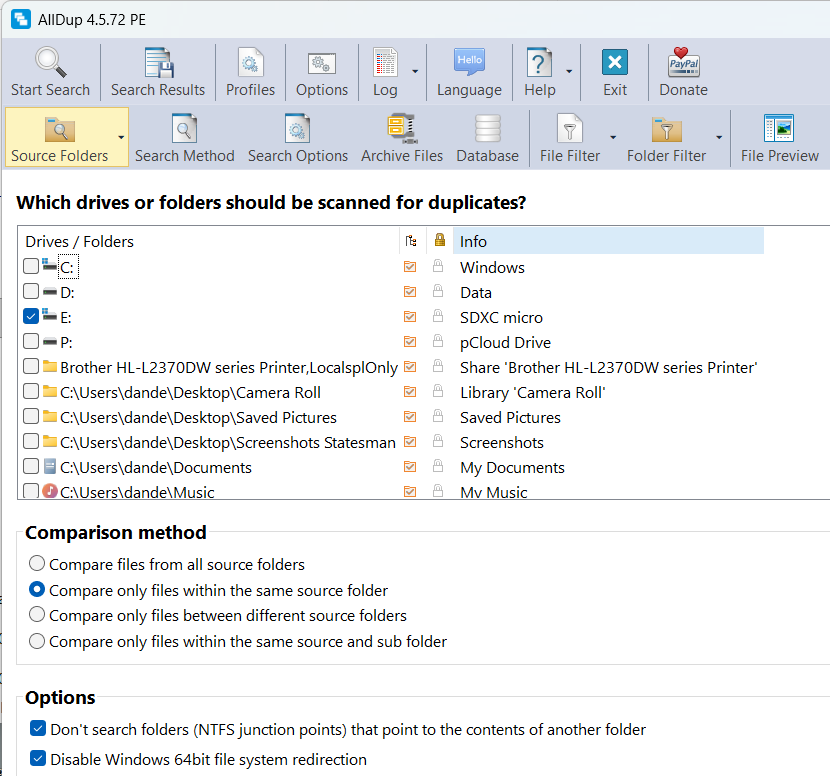
The main page asks for a drive (or folders) to search; then, you can decide whether the search should extend to sub folders, or if it should compare between different sources. Selections are made with check boxes. If you desire that a folder should never be changed by AllDup, it can be flagged as "protected". Right clicking on a source folder brings up "Edit", "Delete", and "Open". [Careful here!]
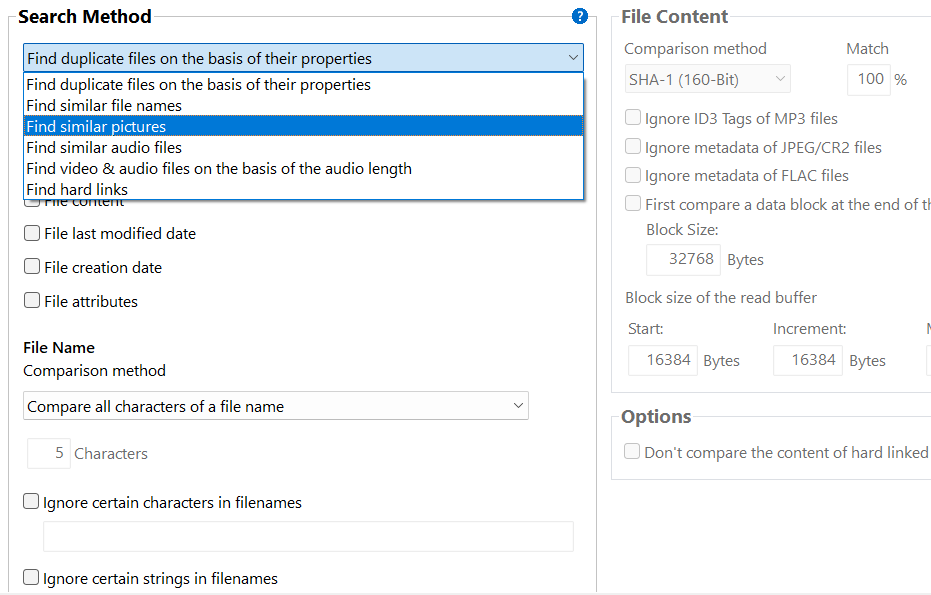
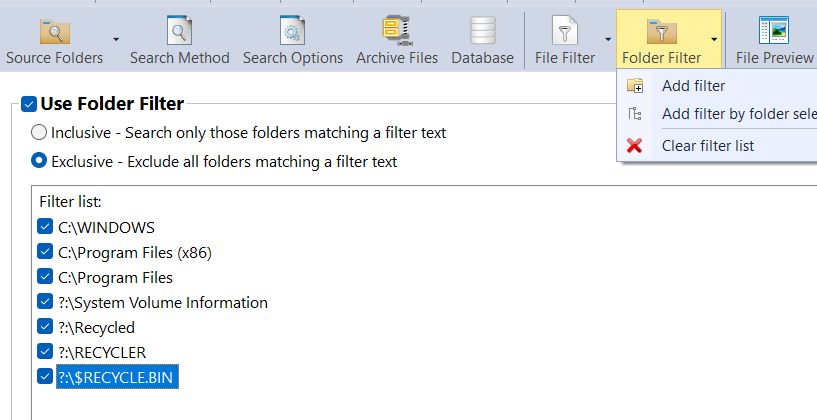
Figure 1: Note these drives and directories are excluded by default. Once a list of "same" files appears, use check boxes to delete, rename, move or copy them in groups. The option to not search NTSF junction points is important, as it protects against redirects to another folder that you probably do not want to include in the duplicate search. Further, the time stamps on files is often changed by other programs, so AllDup can be told to ignore the time, along with other anomalies in the naming of files. When looking not for a perfect match, but a similar match, a request for "Fuzzy", or "Smart", or six other similar comparison determinants, can be made. Pictures and audio files can be treated in this way as well, even if they have been flipped or rotated, or resized, each with a percentage level of confidence. This program can view images and play sound file, as well as search Servers, and NAS folders, along with the contents of compressed folders.
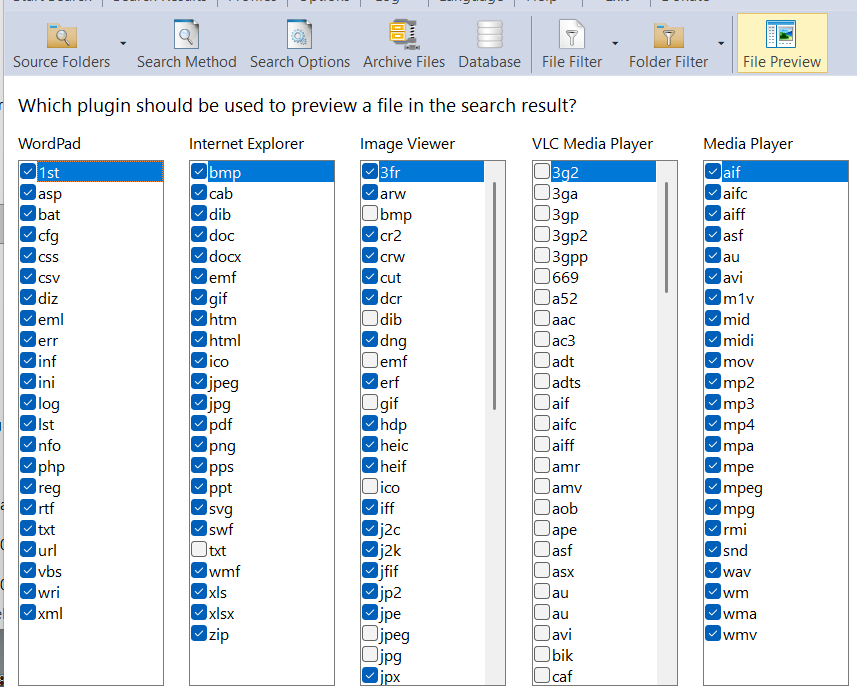
Figure 2: These are default check boxes for plug-ins. Some search options, if asked for, may slow down the processing speed of the search. Some installs will already know about your plug-ins; others need to get them (as described in the manual) in order to display or play various media. Mine appears to be quite inclusive. Yes, the manual is very detailed! It is worth reading, more than once. I was concerned about finding duplicates on a remote 2 TB pCloud drive, as it was more than half-filled with photos and videos. In two and a half minutes almost 300,000 files had been compared, for .JPG and .JPEG extensions, and for identical file names. It found over 100,000 duplicates taking up almost 250 GB.
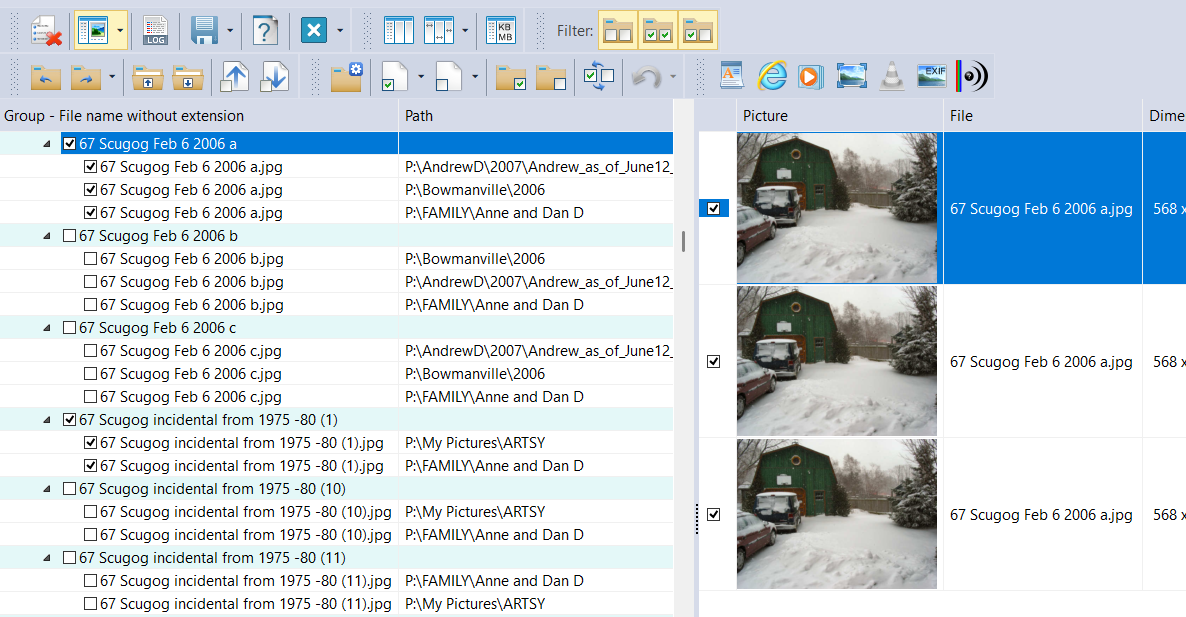
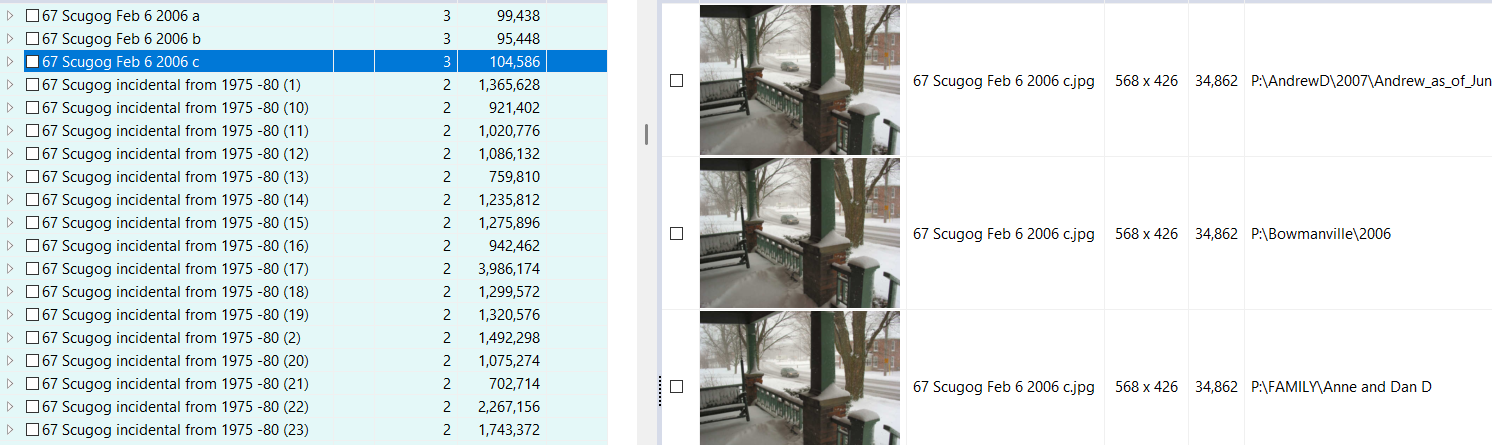
In this example 3 copies were found, of the same image. The viewer shows, pretty confidently, that each image is the same, but stored in different directories. In this case, I wanted to keep all three where they were. The other choice is to checkbox any to be deleted.
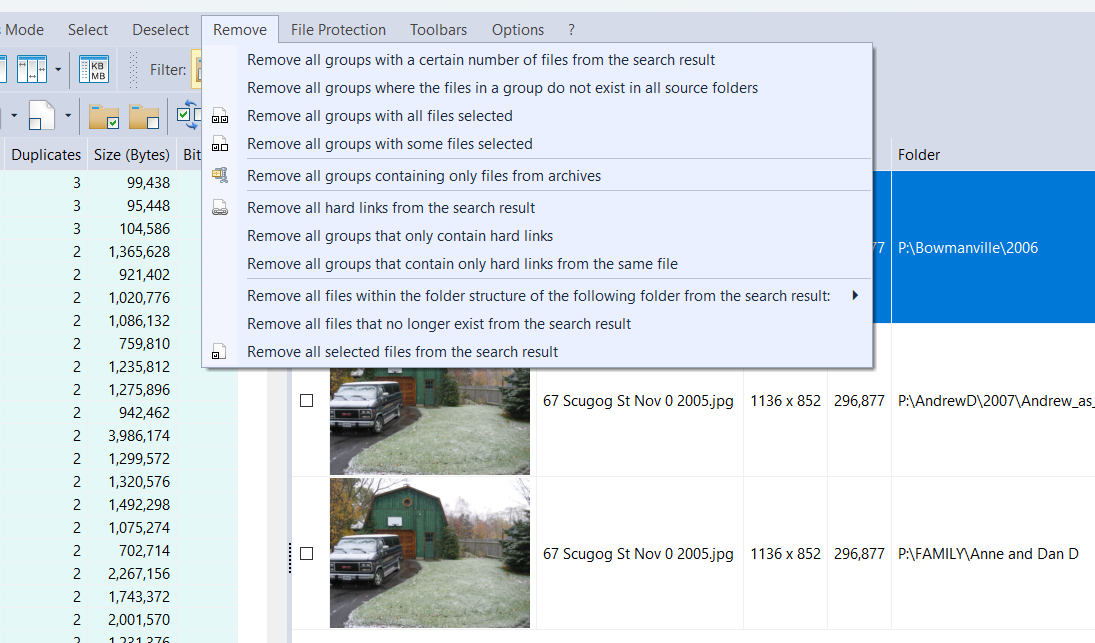
Removal choices are shown below. Learning about Groups will speed up editing, expanding the groups being one example (see below).
Figure 3: Checking a box brings up thumbnails for each file in the group. System requirements: Platform: most Windows from 2008 to 2025 (32 / 64-bit) Version: : 4.5.72 Language: English, Arabic, Chinese, Czech, Danish, Dutch, Finnish, French, German, Greek, Hungarian, Italian, Japanese, Korean, Polish, Portuguese, Russian, Slovenian, Spanish, Swedish, Thai, Turkish, Ukrainian, Vietnamese Download Size: 22.35 MB portable installer 21.85 for zipped installer Installed Size: 68.3 MB Price: FREE - with suggested PayPal donation Rating: Download Site here |
 Your will see this "brain" image, in the same place, at the bottom of the screen, when Handy is transcribing into text.